You follow a link in an old blog post and get a 404. The site is gone. The article you wanted might still be sitting in a web archive.
Someone had to save it while it was there. Sometimes that someone is an automatic crawler. Sometimes it’s a reader who pastes a URL into a box.
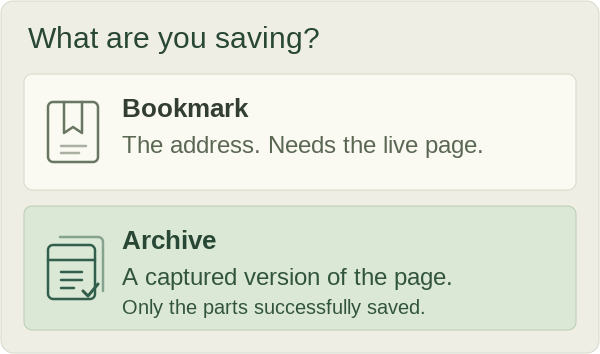
Look for a saved copy
Start with the Wayback Machine. Enter the original URL and choose an available capture date. You might find the article as it looked years ago, including the images and layout. Missing pieces are common, so check the part you actually need.
If there’s no useful copy, search the same URL in archive.today or Ghostarchive. They keep their own captures; a page missing from one archive may exist in another. archive.today saves both a text and a graphical copy.
Save a page search hasn’t found
You don’t need to wait for Google to discover a page. If you know its URL and the archive can reach it, you can request a capture directly.
Open Save Page Now, paste the URL, and save the returned archive link. This captures one page. It doesn’t schedule future captures or crawl the entire site.
For a source you’re citing in your own writing, Perma.cc creates an archived record with a stable citation link. You’ll need an account; access depends on your institution or plan.
A page absent from search results can still be public. A page behind a login is a different matter: a remote archive doesn’t inherit your browser’s access.
Keep a copy you control
For pages that need scrolling or clicking, ArchiveWeb.page records content as you browse. Keep the exported archive and reopen it with ReplayWeb.page.
If you’re preserving a whole collection, Browsertrix offers automated browser-based crawling. Archive-It is the Internet Archive’s subscription service for organizations maintaining curated collections.
For one article, start with a single-page capture. Open the saved copy, find the paragraph or image you wanted, and keep its archive link beside the original. An archived login screen won’t be much help later.
More tools to try
These cover different jobs. A screenshot records appearance; a web archive may also preserve text, links, and other resources.
| Tool | Useful for | Know before using |
|---|---|---|
| Arquivo.pt | Requesting a capture with ArchivePageNow; searching older pages | New captures are later added to its archive collection. |
| archive.st | A public page snapshot, screenshot, and shareable link | Free public captures need no account. Long-term storage is not guaranteed. |
| Stillio | Taking dated screenshots on a schedule | A paid screenshot service, rather than an interactive page replay. |
| Pagefreezer | Maintaining a searchable website archive over time | An organizational service with custom pricing and setup. |
| Urlbox | Automating full-page screenshots through an API | A capture tool; arrange storage for the results yourself. |
Details checked against the linked official pages on 28 October 2026.
Thanks for reading.
Get the next note via RSS ↗